Fleet Management Tablet: The Complete Guide to Rugged In-Cab Tablets for Commercial Vehicles
A fleet management tablet is no longer a convenience add-on. It is the operational nerve center of modern trucking, delivery, bus, utility, municipal, and field service fleets. When deployed correctly, it becomes the single in-cab interface for dispatch, navigation, compliance, telematics, proof of delivery, vehicle diagnostics, messaging, video, and driver workflows.
In this guide, we cover exactly what decision-makers, system integrators, and fleet operators need to know when selecting a rugged Android fleet tablet or vehicle-mounted mobile data terminal (MDT) for real-world commercial operations.
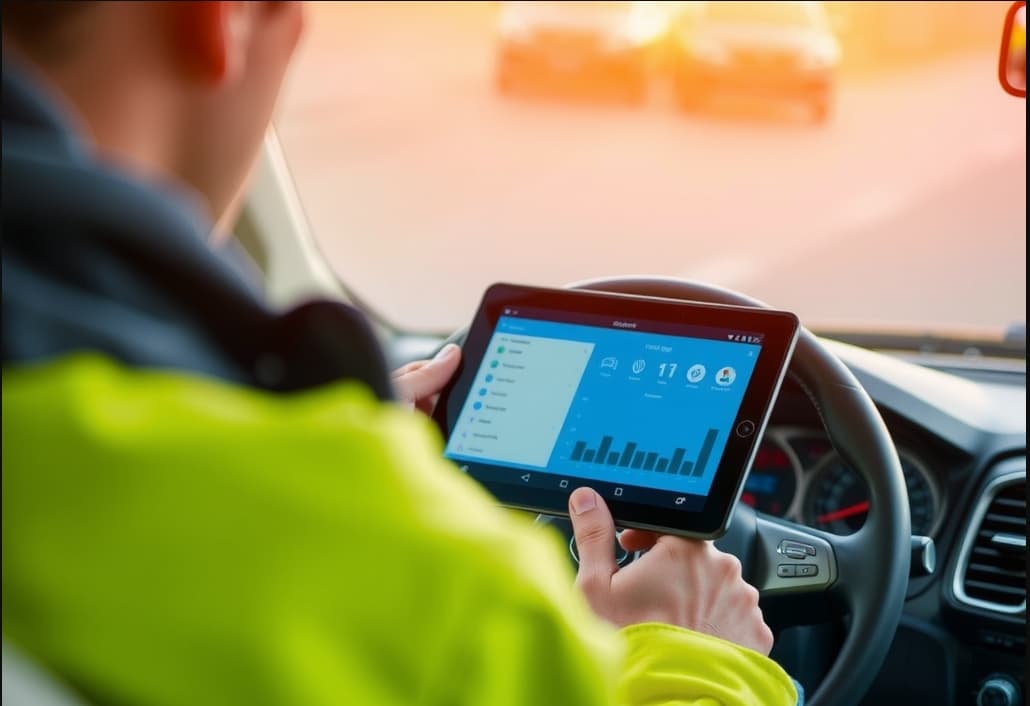
What Is a Fleet Management Tablet?
A fleet management tablet is a purpose-built, ruggedized tablet designed to operate inside commercial vehicles under continuous daily use. Unlike standard office or consumer tablets, it is engineered for:
- Permanent or semi-permanent in-cab installation
- Wide-voltage vehicle power input
- High-brightness sunlight-readable viewing
- Reliable operation in extreme temperatures
- Shock and vibration resistance
- Integration with GPS, telematics, cameras, sensors, and fleet software
In practical terms, a fleet tablet acts as the driver’s command terminal. It can consolidate:
- Route planning and turn-by-turn navigation
- Job dispatch and work order management
- Electronic logging and compliance workflows
- Driver messaging and communication
- Vehicle inspections and digital forms
- Barcode/RFID scanning
- Proof of delivery and signature capture
- Reverse/side camera feeds
- Vehicle health and diagnostics
- Real-time fleet visibility and reporting
For fleet operators, that means fewer disconnected devices, cleaner workflows, and a more controlled operational environment.
Why Consumer Tablets Fail in Commercial Vehicles
A commercial vehicle cabin is one of the harshest computing environments outside industrial manufacturing and heavy equipment.
Most consumer tablets are built for short interaction sessions in climate-controlled environments. A fleet vehicle demands the opposite: all-day mounted use, unstable power conditions, thermal stress, glare, shock, and nonstop movement.
Common failure points of consumer tablets in fleet use
1. Heat shutdowns
A dashboard-mounted device exposed to direct sun can become unusable within minutes. Consumer tablets often throttle or shut down under sustained cabin heat.
2. Vibration damage
Daily road vibration weakens internal connectors, charging ports, mounting points, and storage components over time.
3. Charging instability
Consumer USB charging is unreliable in vehicles with ignition cycles, power spikes, or non-standard electrical conditions.
4. Weak mounting compatibility
A fleet tablet needs to lock securely into a cradle, remain visible, and survive potholes, off-road routes, curb impacts, and emergency braking.
5. Poor peripheral integration
Commercial operations often require:
- External antennas
- Vehicle I/O
- CAN bus or OBD-II access
- Barcode modules
- Camera systems
- PTT communication
- Docking accessories
Consumer tablets are not built for this ecosystem.
6. Short replacement cycles
A cheaper tablet becomes expensive when it fails every few months, causes downtime, or forces reinstallation across dozens or hundreds of vehicles.
This is why rugged in-vehicle tablets and MDT platforms have become the preferred choice in fleet environments. Leading pages in this category emphasize IP protection, sunlight readability, and vehicle integration for fleet and truck deployments
Core Benefits of a Rugged Fleet Tablet
A well-selected rugged tablet does more than survive. It improves the way fleets operate.
Centralized in-cab workflow
Instead of relying on separate GPS units, phones, clipboards, handhelds, radios, and cameras, we can consolidate operations into one mounted device.
Faster dispatch execution
Drivers receive:
- Route updates
- New assignments
- Pickup/drop-off details
- Exceptions
- Proof-of-service tasks
All in one interface, without app switching chaos.
Better driver compliance
Digital checklists, ELD workflows, inspections, safety prompts, and driver acknowledgments become standardized and traceable.
Reduced paperwork and errors
Digital forms eliminate handwriting issues, missing fields, duplicate entries, and delayed data uploads.
Improved route visibility
GPS, maps, geofencing, and telematics integrations create a real-time operational picture for dispatch and management teams.
Stronger vehicle safety workflows
With support for camera systems, reverse monitoring, lane/event recording, and driver alerts, a fleet tablet can become part of a larger in-cab safety architecture.
Higher uptime
A rugged tablet designed for vehicle use is less likely to fail at the worst possible moment—mid-route, mid-shift, mid-delivery, or mid-inspection.
Must-Have Features in a Fleet Management Tablet
Not all “rugged tablets” are truly suitable for vehicle fleets. Below are the specifications that matter most.
1) Rugged Durability for Daily Vehicle Use
A real fleet tablet should withstand:
- Constant vibration
- Docking/undocking cycles
- Cabin heat and cold
- Dust and moisture
- Driver handling with gloves or wet hands
What to look for
- IP65 / IP67 ingress protection
- MIL-STD-810G or MIL-STD-810H
- Reinforced housing
- Secure docking contact design
- Drop resistance
- Industrial-grade connectors
Durability is not just about surviving a drop. In fleet operations, the bigger challenge is surviving 8–16 hours per day, every day, for years.
2) Sunlight-Readable Display
If drivers cannot read the screen at noon, the device fails its mission.


Comments
Post a Comment